A few years ago, work tools waited for you to do something. Now they talk to you. Your text editor suggests sentences, your task manager sums up your day, your email offers replies and almost every app has an assistant that pops up in a corner with an idea you didn't ask for.
Some of that help is genuinely handy. But between them they've changed something you can feel: you're no longer the only one setting the pace of your work.
In creative work (turning an idea over, writing, designing, deciding) this matters even more, because it's the kind of work that most needs sustained concentration. This article is about getting that concentration back without giving up the good things AI brings.
What we mean by digital wellbeing
We're not talking about putting your phone in a drawer or spending a month in a cabin with no signal. We mean something more everyday: being the one who decides when your tools talk to you, how much they ask of you and when you're done.
Seen that way, it has less to do with willpower than with how each tool is designed. Some make it easy for you and some make it very hard.
Three ways your tools take your attention
1. Interruptions
Notifications, little red badges with numbers, suggestions, what someone else just did. Each one is small, but it breaks your train of thought. Researcher Gloria Mark, who has spent decades studying how we work at screens, reports in Attention Span (2023) that we switch screens every few seconds (around 47 on average), and that getting back to what you were doing after an interruption can take a good deal longer.
2. Accumulation
Lists that never stop growing. Tasks created automatically from an email or a meeting, reminders for things you noted just in case, projects nobody closes. Every open item takes up a bit of headspace, even when you're not looking at it.
3. Work that never ends
Many tools are designed to bring you back, not to let you finish: daily streaks, scores, endless feeds. If “that's it for today” never comes, work stretches to fill all the time you have, and resting starts to feel like something you need to justify.
What we know, and what we don't
There's no scientific formula for digital wellbeing, and it's best not to pretend otherwise. But three findings help us think about it:
- Interruptions have a cost, and getting back into a complex task after switching focus takes time (Gloria Mark, Attention Span).
- What you leave half-done keeps nagging at you, but writing a specific plan for picking it up greatly reduces that effect. That's what E. J. Masicampo and Roy Baumeister found in 2011: the plan was enough, without finishing the task.
- Doing fewer things at once tends to make each one turn out better. It's the first principle of Cal Newport's Slow Productivity (2024).
None of the three is about artificial intelligence, but all three apply: an assistant that steps in non-stop creates interruptions, piles things up and keeps the work from ever ending, all at once.
AI as a coworker
Think of a very sharp coworker who reads everything you write. If they flag an important contradiction, they help enormously. If they comment on every sentence, they end up wearing you out.
For creative work, here's roughly what to ask of a good AI:
- To speak up when it has something to add, not every time you type.
- To be able to stay quiet when you need to think alone, and still be there when you call it.
- To say where it gets what it says, so you can check it in seconds.
- To suggest things, but not change your work without your permission.
- To help you close things, not just open new ones.
Six habits for thinking with AI at your own pace
- Decide what would be enough today. Before opening anything, write a sentence like “today it's enough to choose between these two options”. That way you'll know when you're done.
- Quiet by default when it's time to think. Turn off automatic suggestions while you think and ask for help when you need it. The AI is still there; it just doesn't interrupt.
- Save loose ideas without turning them into tasks. Whatever occurs to you that doesn't belong to today, note it somewhere with no dates or reminders.
- Close with a summary. Two or three lines: what changed, what's still open and where you'll pick up. That's what lets you properly switch off.
- Few active projects. Pick two or three and let the rest rest, each with its summary.
- Be wary of streaks and scores. They reward coming back, not thinking well.
Does your tool respect your attention?
Ask yourself these questions about the tool you think your ideas through in:
- Can I silence automatic suggestions without losing help when I ask for it?
- When I open it, does it show me what I left, or what it wants me to see?
- Is there any way to end the session, or only to keep going?
- Can I save ideas without them turning into to-dos?
- Does it encourage me to have few things open, or many?
- Does it measure my consistency with streaks or scores?
How we apply it at Noemori
We can't promise you'll feel better using Noemori. That depends on a lot of things, and we haven't measured it with real people yet. What we can share are the design decisions we've made, and why.
In the “This session” panel you can answer “What would be enough for this session?”, but it's optional and there's no entry form: you can get straight to work. If you set the living layer to Quiet, automatic observations and research pause across the whole project; asking, debating, documents and organizing what you add stay available whenever you ask. Ideas that don't belong to today go into “Possibilities for later”, off the map, with no reminders and taking up no space.
When you finish, “Enough for today” saves what changed, what's still open and what you left for later, and leaves you a clear place to come back to. It doesn't close the idea, only the session, and automatic initiatives stay paused until you decide to carry on. There are no timers, no mandatory breaks, no streaks and no activity scores.
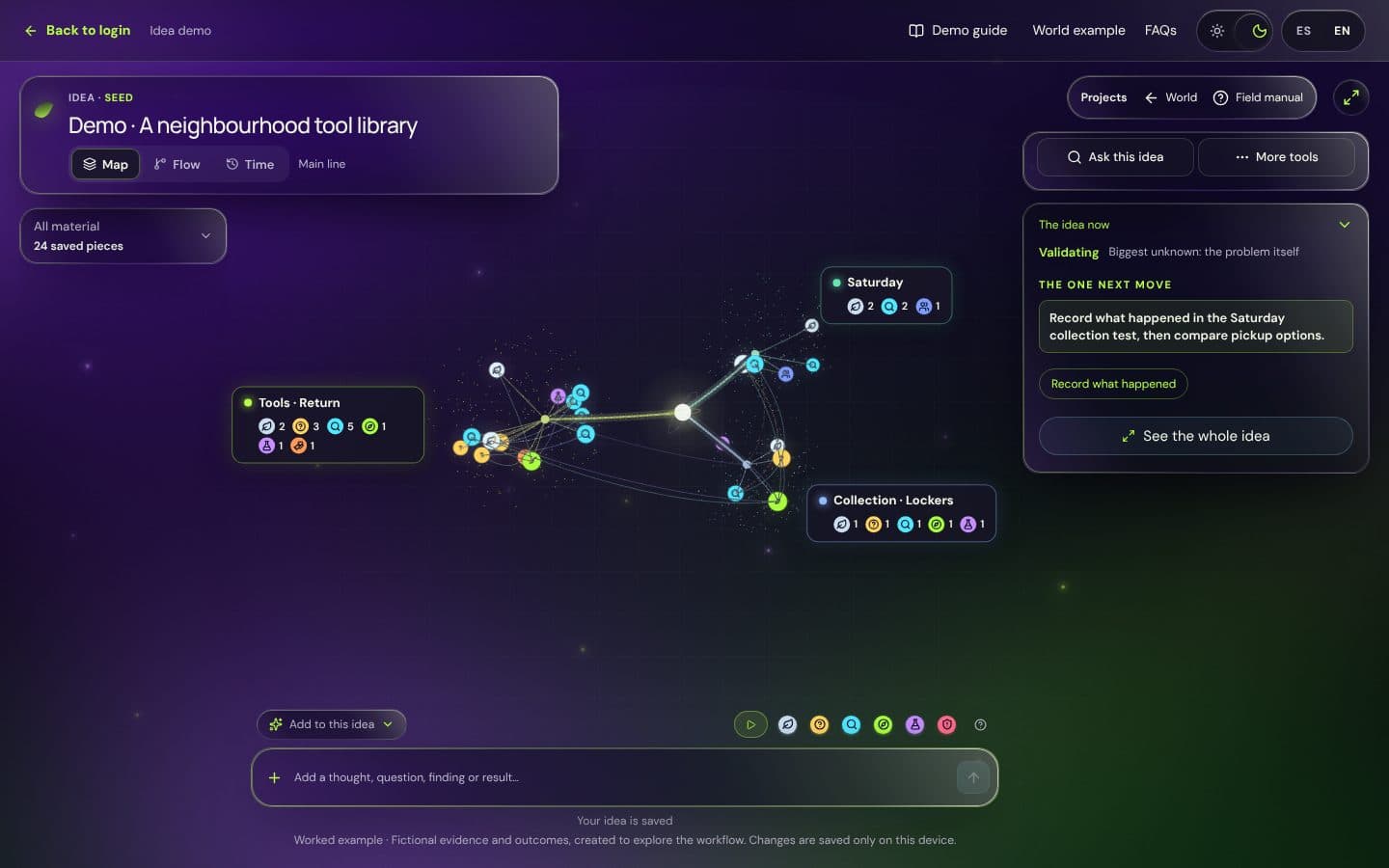
There are deliberate limits too: three active gardens with up to five ideas each, and an idea can rest without losing its history. And the living layer makes suggestions citing your own notes, but nothing changes until you accept it.
If you'd like to see it, open the example idea with no account. If you're starting a business idea, the step-by-step guide is written at this same pace, one session per step. And if you fancy trying it with your own ideas, the pilot is free: ask for your place below.
Frequently asked questions
What is digital wellbeing at work?
It's having a relationship with your digital tools in which you decide when they interrupt you, how much they ask of you and when you're done. It's less about disconnecting and more about you setting the pace of your work.
Does artificial intelligence hurt concentration?
It depends on how it steps in. An AI that suggests something every time you type adds interruptions. One that answers when you ask, cites its sources and knows when to stay quiet helps you think without losing the thread.
How can I use ChatGPT without losing focus?
Use it at specific moments with a clear question, not as background company. Before opening it, note what would be enough to get out of it, and when you finish keep the two or three useful ideas instead of saving the whole conversation.
Do app blockers and focus modes help?
They can, especially on your phone. What they don't fix is what happens inside the tools you work in: if the tool itself interrupts you, piles up to-dos or never lets you finish, the problem is still there.